Resolving Git Push Errors with GitHub’s Private Email Settings
When you enable certain privacy settings in GitHub, a straightforward git push might fail. This issue typically arises when you've opted to keep your email address private. If you're encountering push errors like the one shown below, there's a straightforward fix.
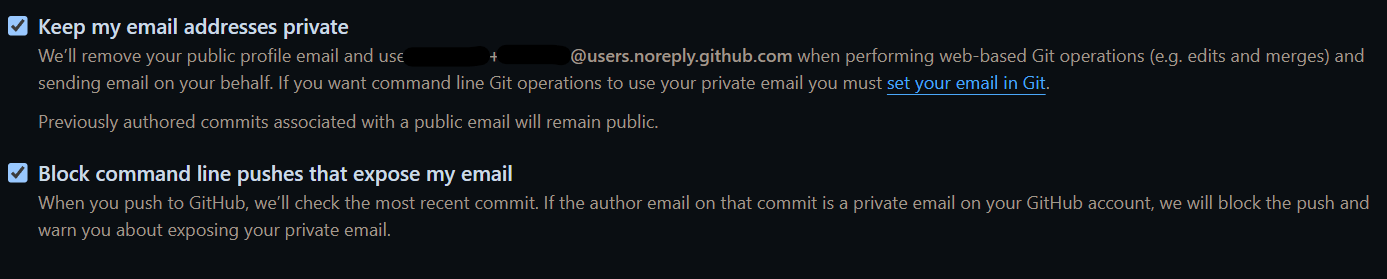
Error Message:
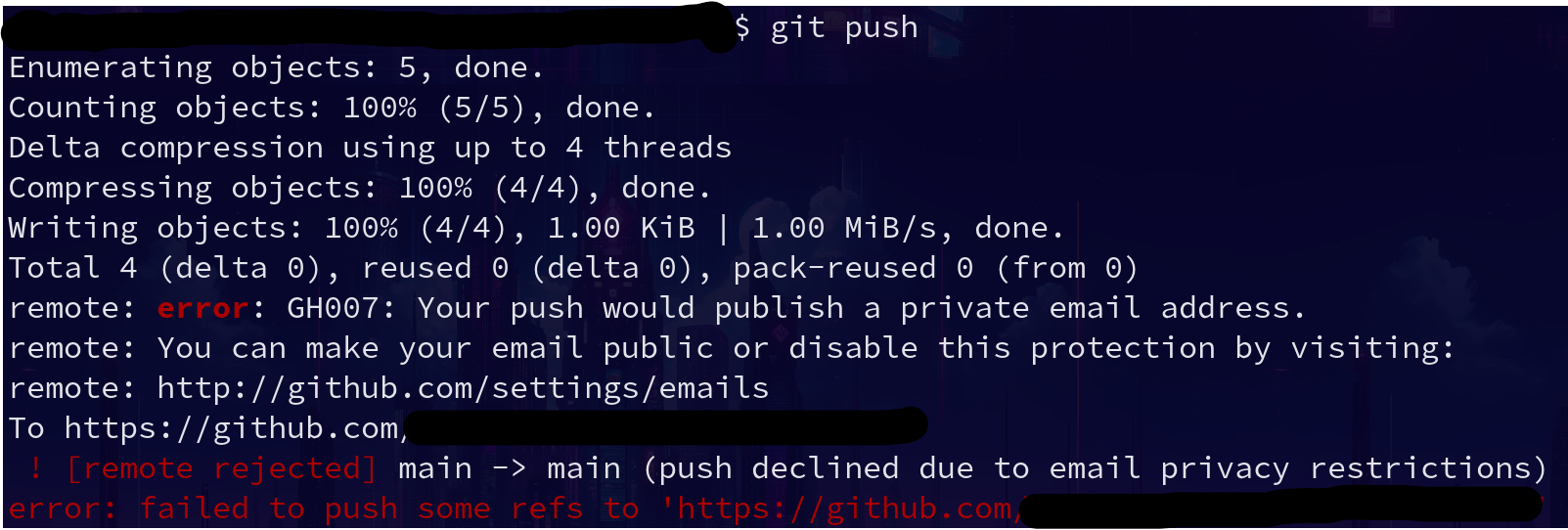
How to Fix the Git Push Error
The error occurs because your local #git configuration is using an email that GitHub doesn't recognize or one that's set to private. To resolve this, you'll need to use a special GitHub-provided no-reply email address format.
Step 1: Update Your Email Configuration
Replace your current email in the Git configuration with the no-reply email provided by GitHub. This format keeps your personal email private while satisfying GitHub's requirements:
{ID}+{USERNAME}@users.noreply.github.com
You can find your unique ID and username in your GitHub email settings.
Step 2: Apply the New Configuration
Use the following commands to update your #git configuration, either globally or for a single repository:
# To change the email configuration globally:
git config --global user.email "{ID}+{USERNAME}@users.noreply.github.com"

# To change the email configuration for the current repository only:
git config user.email "{ID}+{USERNAME}@users.noreply.github.com"
Step 3: Amend Previous Commits
If your last commit was rejected, you might want to amend it to update the author information:
git commit --amend --reset-author --no-edit
This command will update the commit with your new email address but won't change the commit message.
Step 4: Retry Pushing Your Changes
Once your email is configured and commits are amended if necessary, try pushing again:
git push
This should resolve the push error. By following these steps, you ensure that your GitHub activity remains linked to your account while keeping your email address private.